Animation video limks
https://youtu.be/hxzYR9zqN38
https://youtu.be/-qgle1fNJ0Q
https://youtu.be/Qdp3iIV5I4U
https://youtu.be/-qgle1fNJ0Q
Showing posts with label 3D Modeling for object and environments. Show all posts
Showing posts with label 3D Modeling for object and environments. Show all posts
Sunday, 8 November 2015

character


fig 1
fig 2
I was inspired by a cartoon named Ed Edd and Eddy, i go some imaginative designs from it to be able to create mine. I thought of someone that will look worked out of so much explorations on different journeys, he would do anything to get information. Travel the world and also not really looking at himself for once how he looks.
Animation photos
This course was not an easy one based on the process involved. the character making was really demanding i had to draw the charater all angles first then import all into maya and follow the drawing based on the modelling procedures same with the buildings, then i added some extra things in it environment designs texture, colour, lighting and road.
video link https://youtu.be/-qgle1fNJ0Q

fig 1

fig 2

fig 3

fig 4

fig 5

fig 6

fig7

fig 8

fig 9


Thursday, 5 November 2015
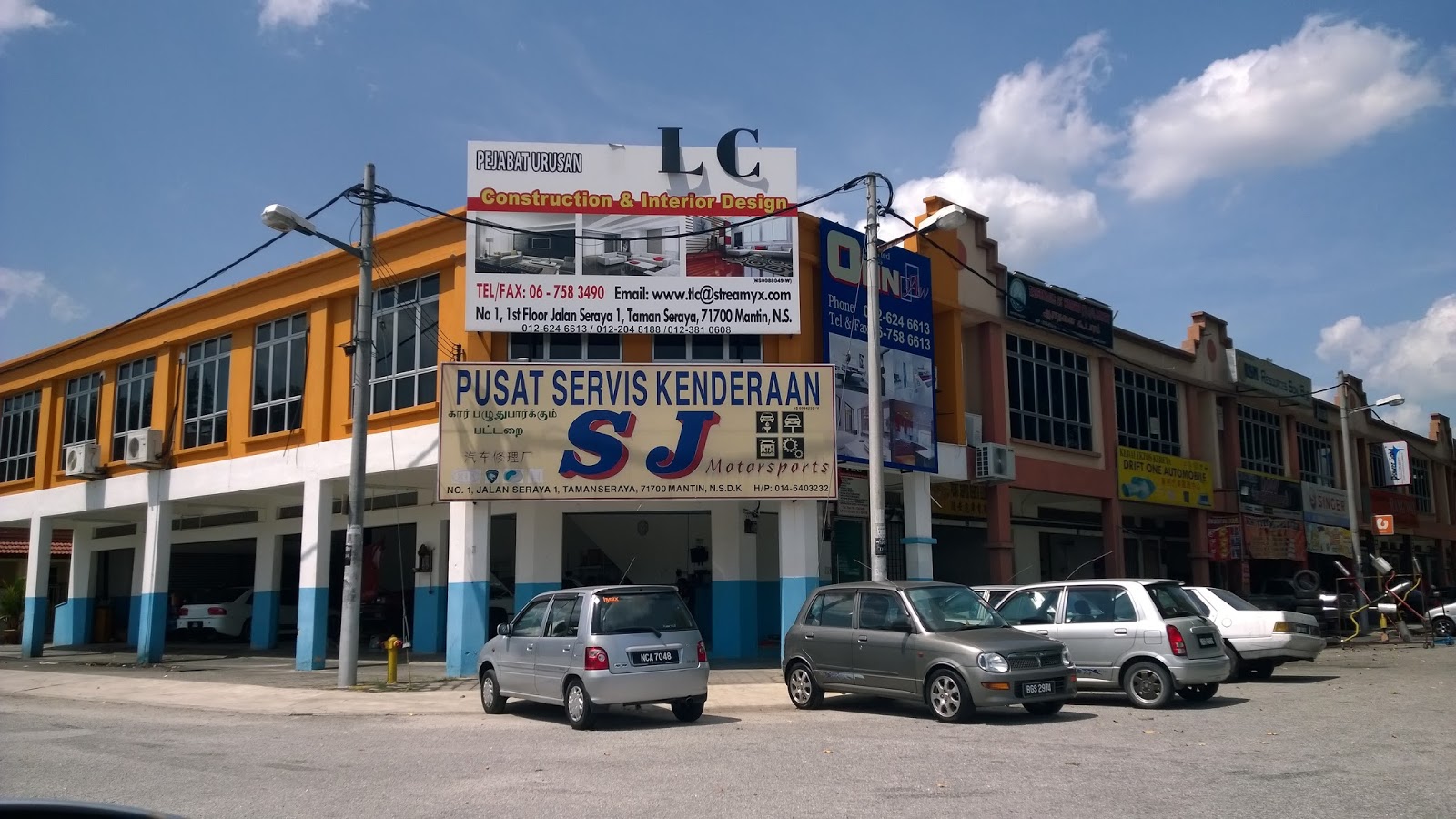
Pictures of Mantin Town
The Hakka
villagers claim that their village is extra than 100 years old. All the
buildings there have been destroyed by weather and insects, some have been renovated
and some mainted by people who still live there. The are some new buildings in mantin which are
residence but some of this new buildings expensive for some people in the town.
They draw their past right back to 1860. Most of them came from Hui Zhou, China
and was held by the British to work in the tin mines, they stayed in a village
in Mantin recognized as Kampung Attap because of its roofing. Nowadays the
alike village is recognized as kampong Hakka. They have a temple Tokong Bronzed
Gong and a school SJK Chi Chi Mantin, both alongside a hundred years history.

Character.


 fig 10
Character wire frame


Fig 1
Character wire frame front view. This is after the modelling
of the character, second part of the animation stage using the IK tool.

Fig 2
Character wire frame on shaded after the animation stage showing full body with skin.

Fig 3
Front view of the character

Fig 4
Side view of the character

Fig 5
Back view of the character

Fig 6
Environment view

Fig 9
Animation final

Character wire frame

fig 11
Environment all angles
Thursday, 13 August 2015
Task 1
About the course.
3D Modeling for object and environments.
Modeling is the process of taking a shape and molding it into a completed 3D mesh. The most typical means of creating a 3D model is to take a simple object, called a primitive, and extend or "grow" it into a shape that can be refined and detailed. Primitives can be anything from a single point (called a vertex), a two-dimensional line (an edge), a curve (a spline), to three dimensional objects (faces or polygons).
Using the specific features of your chosen 3D software, each one of these primitives can be manipulated to produce an object. When you create a model in 3D, you'll usually learn one method to create your model, and go back to it time and again when you need to create new models. There are three basic methods you can use to create a 3D model, and 3D artists should understand how to create a model using each technique.
1. Spline or patch modeling: A spline is a curve in 3D space defined by at least two control points. The most common splines used in 3D art are bezier curves and NURBS (the software Maya has a strong NURBS modeling foundation.) Using splines to create a model is perhaps the oldest, most traditional form of 3D modeling available.
Spline modeling is used primarily for the creation of hard objects, like cars, buildings, and furniture. Splines are extremely useful when creating these objects, which may be a combination of angular and curved shapes. When creating a 3D scene that requires curved shapes, spline modeling should be your first choice.
2. Box modeling: Box modeling is possibly the most popular technique, and bears a lot of resemblance to traditional sculpting. In box modeling, one starts with a primitive (usually a cube) and begins adding detail by "slicing" the cube into pieces and extending faces of the cube to gradually create the form you're after. People use box modeling to create the basic shape of the model. Once practiced, the technique is very quick to get acceptable results. The downside is that the technique requires a lot of tweaking of the model along the way. Also, it is difficult to create a model that has a surface topology that lends well to animation.
Box modeling is useful as a way to create organic models, like characters. Box modelers can also create hard objects like buildings, however precise curved shapes may be more difficult to create using this technique.
3. Poly modeling / edge extrusion: While it's not the easiest to get started with, poly modeling is perhaps the most effective and precise technique. In poly modeling, one creates a 3D mesh point-by-point, face-by-face. Often one will start out with a single quad (a 3D object consisting of 4 points) and extrude an edge of the quad, creating a second quad attached to the first. The 3D model is created gradually in this way. While poly modeling is not as fast as box modeling, it requires less tweaking of the mesh to get it "just right," and you can plan out the topology for animation ahead of time.
Poly modelers use the technique to create either organic or hard objects, though poly modeling is best suited for organic models.
About the course.
3D Modeling for object and environments.
3D Modeling
Modeling is the process of taking a shape and molding it into a completed 3D mesh. The most typical means of creating a 3D model is to take a simple object, called a primitive, and extend or "grow" it into a shape that can be refined and detailed. Primitives can be anything from a single point (called a vertex), a two-dimensional line (an edge), a curve (a spline), to three dimensional objects (faces or polygons).
Using the specific features of your chosen 3D software, each one of these primitives can be manipulated to produce an object. When you create a model in 3D, you'll usually learn one method to create your model, and go back to it time and again when you need to create new models. There are three basic methods you can use to create a 3D model, and 3D artists should understand how to create a model using each technique.
1. Spline or patch modeling: A spline is a curve in 3D space defined by at least two control points. The most common splines used in 3D art are bezier curves and NURBS (the software Maya has a strong NURBS modeling foundation.) Using splines to create a model is perhaps the oldest, most traditional form of 3D modeling available.
Spline modeling is used primarily for the creation of hard objects, like cars, buildings, and furniture. Splines are extremely useful when creating these objects, which may be a combination of angular and curved shapes. When creating a 3D scene that requires curved shapes, spline modeling should be your first choice.
2. Box modeling: Box modeling is possibly the most popular technique, and bears a lot of resemblance to traditional sculpting. In box modeling, one starts with a primitive (usually a cube) and begins adding detail by "slicing" the cube into pieces and extending faces of the cube to gradually create the form you're after. People use box modeling to create the basic shape of the model. Once practiced, the technique is very quick to get acceptable results. The downside is that the technique requires a lot of tweaking of the model along the way. Also, it is difficult to create a model that has a surface topology that lends well to animation.
Box modeling is useful as a way to create organic models, like characters. Box modelers can also create hard objects like buildings, however precise curved shapes may be more difficult to create using this technique.
3. Poly modeling / edge extrusion: While it's not the easiest to get started with, poly modeling is perhaps the most effective and precise technique. In poly modeling, one creates a 3D mesh point-by-point, face-by-face. Often one will start out with a single quad (a 3D object consisting of 4 points) and extrude an edge of the quad, creating a second quad attached to the first. The 3D model is created gradually in this way. While poly modeling is not as fast as box modeling, it requires less tweaking of the mesh to get it "just right," and you can plan out the topology for animation ahead of time.
Poly modelers use the technique to create either organic or hard objects, though poly modeling is best suited for organic models.
Subscribe to:
Posts (Atom)